Top 6 CleanMyMac Alternatives in 2026 (Free and Cheap)
CleanMyMac is polished, but since its 2025 pricing change most people pay for it every year, and the one-time licence costs more than $100. If you mostly use it to find what is filling your disk and clear out leftovers, you can do that for much less.
Why people switch
- Price. Subscriptions add up: three years can cost more than $130 for one Mac.
- Trust. A “junk” total without a clear list of what will be deleted makes some people nervous — see is CleanMyMac safe?
- Size. It is a large app with background components; some people want something lighter.
- Developer storage. The main app focuses on Xcode junk; deeper Node, Docker and Gradle cleanup is in a separate command-line preview rather than the app.
The alternatives at a glance
| Alternative | Price | Replaces which CleanMyMac feature |
|---|---|---|
| DiskMac | Free / $9 once | Space Lens, Large & Old Files, Uninstaller, Xcode junk |
| DaisyDisk | $9.99 once | Space Lens |
| AppCleaner | Free | Uninstaller |
| OnyX | Free | Maintenance scripts, cache cleaning |
| GrandPerspective | Free | Space Lens |
| macOS built-ins | Free | Storage recommendations, XProtect malware protection |
1. DiskMac — the closest all-round replacement for $9
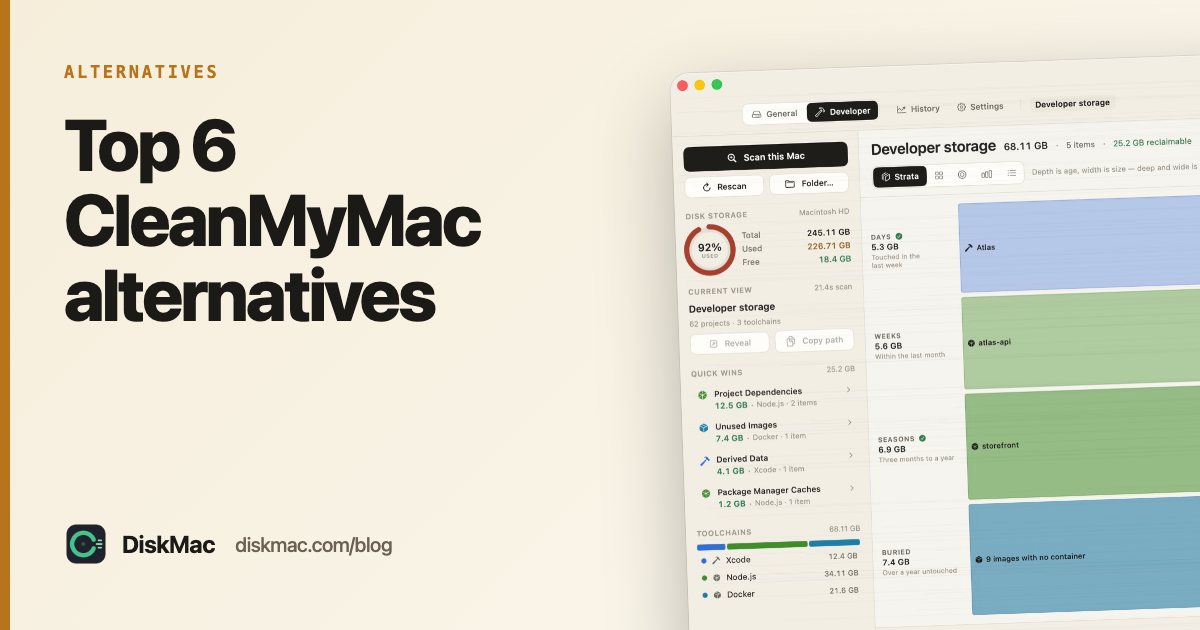
DiskMac covers the features people actually use in CleanMyMac: a visual map of your disk (ten views, including Strata, which shows old and large folders together), a large-files list, an app uninstaller that finds leftovers by bundle identifier, and a developer mode for Xcode, Docker and Node.
The difference is how it treats you. Every item is explained, nothing is deleted without you seeing the list, and everything goes to the Trash with undo. It is about 2 MB, has no background daemon and no analytics. Scanning is free; cleanup is $9 once for two Macs.
What it doesn’t do: malware scanning, duplicate finding or “speed-up” tools. Full comparison: DiskMac vs CleanMyMac.
2. DaisyDisk — best for the Space Lens fans
If the part of CleanMyMac you liked was the visual map, DaisyDisk is a beautiful sunburst map for a one-time $9.99. No uninstaller, no explanations.
3. AppCleaner — free uninstaller
Drag an app in, see its leftover files, delete. That is the whole app, and it is free.
4. OnyX — free maintenance
Covers CleanMyMac’s maintenance tab: periodic scripts, cache rebuilding, Spotlight reindexing. Free, powerful and unforgiving of guesswork.
5. GrandPerspective — free disk map
A no-frills open-source treemap. Ugly, fast and free.
6. What macOS already does
macOS includes XProtect, which scans for known malware and updates silently, plus Gatekeeper and notarisation checks. System Settings › General › Storage offers iCloud offloading, automatic Trash emptying and a large-files review. For most people that replaces CleanMyMac’s protection and recommendations modules.
Removing CleanMyMac properly
CleanMyMac installs a menu bar helper and a background agent. Quit it from the menu bar first, then use its own uninstall option if present, or drag it to the Trash and remove leftovers in ~/Library/Application Support, ~/Library/Caches and ~/Library/LaunchAgents that contain com.macpaw. Remember to cancel the subscription separately — see cleaners without a subscription.
Leaving MacKeeper rather than CleanMyMac? See the best MacKeeper alternatives.
FAQ
What is the best free alternative to CleanMyMac?
A combination: DiskMac’s free scan or GrandPerspective to see what is big, AppCleaner to uninstall, and macOS Storage settings for the rest.
Is there a CleanMyMac alternative with a one-time price?
Yes — DiskMac Pro is $9 once for two Macs, and DaisyDisk is $9.99 once.
Do I need antivirus if I drop CleanMyMac?
Most Mac users don’t. macOS’s built-in XProtect and Gatekeeper cover common threats. Install apps from trusted sources and keep macOS updated.