DiskMac vs CleanMyMac: Which Mac Cleaner Should You Use?
We make DiskMac, so read this knowing that. We’ve tried to be fair: CleanMyMac is a good app, and there are people it suits better.
The short version
Choose CleanMyMac if you want one subscription that covers cleaning, malware scanning, updates and optimisation. Choose DiskMac if you want to see exactly where your space went, delete it safely, and pay $9 once — especially if you are a developer.
Feature by feature
| DiskMac | CleanMyMac | |
|---|---|---|
| Price | Free to scan, $9 once (2 Macs) | Yearly subscription, or one-time licence above $100 |
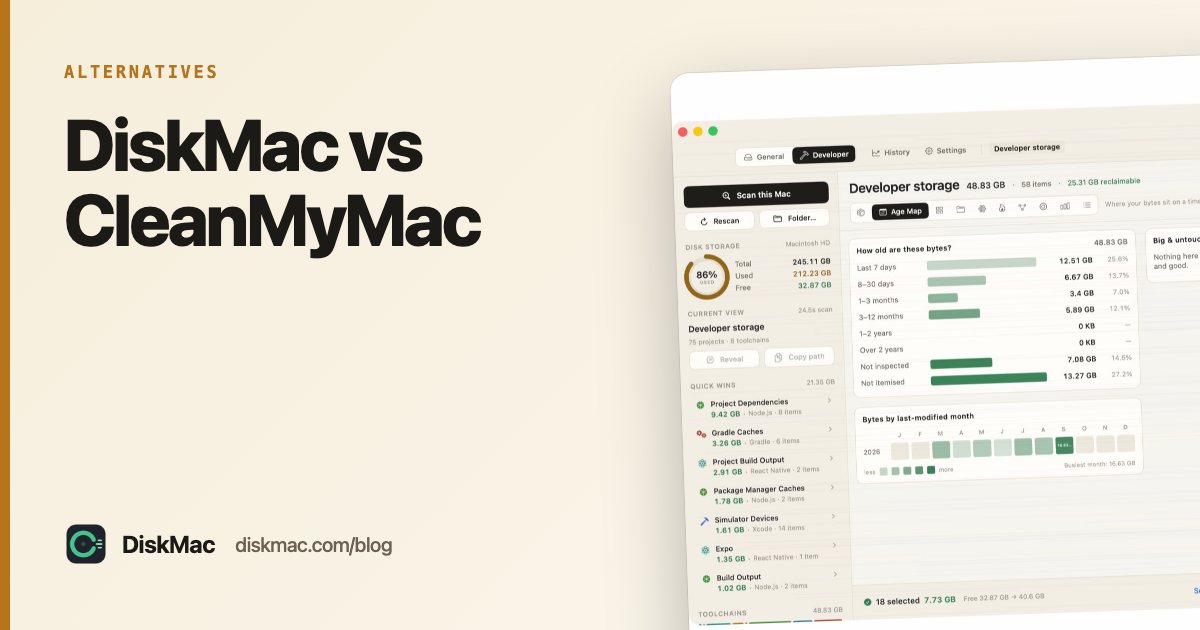
| Disk visualisation | 10 views incl. Strata (size × age) | Space Lens |
| Explains each item | Yes, what it is and how it comes back | Category-level descriptions |
| Large file finder | Yes | Yes |
| App uninstaller | Yes, by bundle ID, shows its reasoning | Yes |
| Developer cleanup | Xcode, Docker, Node, Gradle, Android, Flutter, CocoaPods and more | Xcode junk in the app; Node, Docker, Gradle and more in CleanMyMac CLI, a free developer preview since July 2026 |
| Malware scanning | No | Yes |
| Duplicate finder | No | Yes (Plus) |
| Undo | Everything to Trash, one-click restore | Varies by module |
| App size | About 2 MB | Hundreds of MB |
| Telemetry | None in the app | Per MacPaw’s privacy policy |
| Command-line tool | Yes, free | No |
CleanMyMac details checked October 2026.
Where CleanMyMac wins
- Breadth. Malware removal, duplicate photos, app updates, menu bar health monitor — all in one.
- Polish. MacPaw has a large design team and it shows.
- Automation. Scheduled scans and reminders.
Where DiskMac wins
- Price. $9 once versus a recurring fee. Over three years that is the difference between $9 and well over $100.
- Transparency. You see every path before it goes, and why it’s safe. Nothing is a mysterious “junk” number.
- Developers. DiskMac knows which
node_modulesbelong to projects you haven’t touched in months, what Docker is really using, and which Android system images no longer have a virtual device. - Lightness. No background agents. Open it, use it, quit it.
- Safety rules. A deny list blocks source code, git repositories, SSH keys, credentials, Documents and Desktop, checked again right before anything is removed.
Speed
DiskMac scanned a 109 GB home folder with 1.6 million files in about 35 seconds on Apple silicon. CleanMyMac’s Smart Scan covers different ground, so a direct timing comparison isn’t meaningful — both are quick enough.
Try both
CleanMyMac has a free trial; DiskMac’s scan is free forever. Run both, compare what they find, and decide. If you end up looking for other options, see CleanMyMac alternatives and the best Mac cleaner apps.
FAQ
Is DiskMac a CleanMyMac replacement?
For storage — finding, explaining and removing what fills your disk, and uninstalling apps — yes. It doesn’t include malware scanning or a duplicate finder.
Can I run DiskMac and CleanMyMac together?
Yes. They don’t conflict.