MacBook Air 256GB Storage Full? How to Make It Last
A 256 GB MacBook Air or Mac mini is plenty for many people — until it isn’t. After macOS itself (around 20–30 GB including System Data) and a few apps, you may have less room than you think. Here’s how to make it work.
Budget your 256 GB
| What | Typical size |
|---|---|
| macOS and system files | 20–35 GB |
| Free space you should keep | 25–35 GB |
| Apps | 15–40 GB |
| Left for your stuff | ~150–190 GB |
1. Let iCloud hold your photos
Turn on iCloud Photos with Optimise Mac Storage. Full-resolution originals stay in iCloud; your Mac keeps small versions. This alone can free tens of gigabytes. The 200 GB iCloud+ plan is usually cheaper than more internal storage.
2. Optimise Desktop & Documents
With iCloud Drive’s Desktop & Documents and Optimise Mac Storage on, older files are kept only in iCloud and downloaded when opened.
3. Buy a small external SSD
A fast 1 TB USB-C SSD costs a fraction of Apple’s storage upgrade. Use it for video projects, photo archives, virtual machines, game libraries and Time Machine (on a separate drive).
4. Don’t keep iPhone backups on the Mac
Back up your iPhone to iCloud instead. Delete local backups in Storage settings › iOS Files.
5. Watch out for the space eaters
- Messages attachments — set Keep Messages to 1 year.
- Music and podcast downloads.
- GarageBand and Logic sound libraries.
- Developer tools — Xcode alone can take 40 GB+. If you code on a 256 GB Mac, read the developer cache guide.
6. Check what’s growing
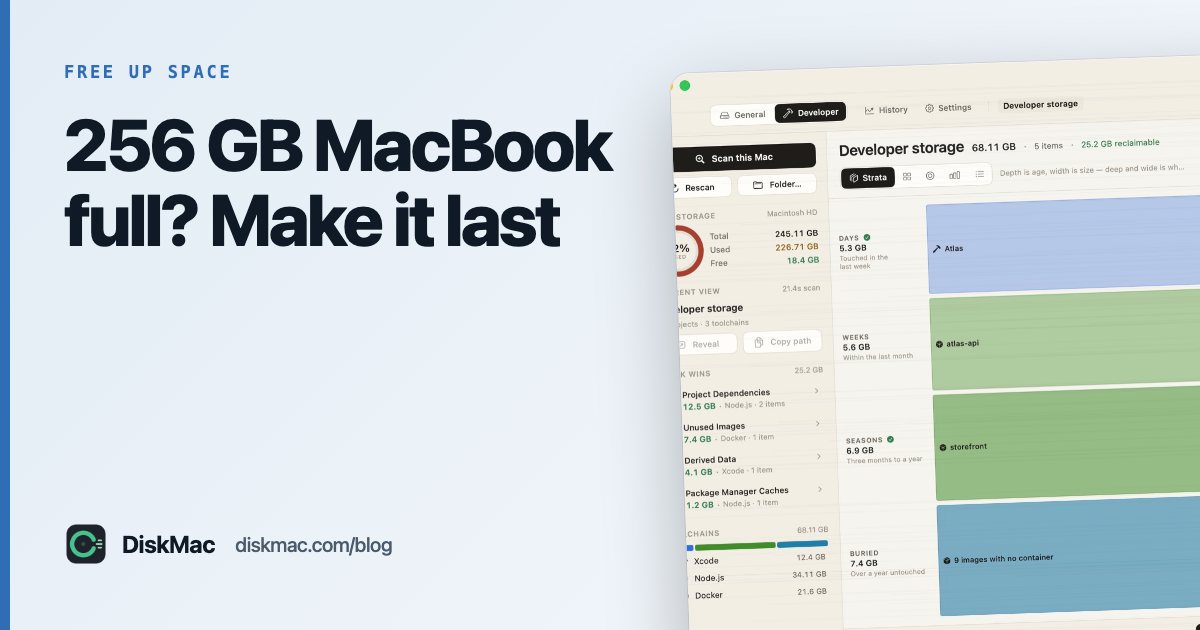
On a small disk, things creep up. DiskMac’s free storage history and menu bar monitor show free space over time, and its Strata view puts size and age together, so a big folder you haven’t opened in a year stands out at the bottom.
7. Clean up every few months
Use our checklist: 12 ways to free up space on Mac.
FAQ
Is 256GB enough for a MacBook Air?
For web, office work and photos in iCloud, yes. For video editing, large games or development, it will be tight without an external drive.
Can I upgrade the storage on a MacBook Air?
No. Storage on Apple silicon Macs is soldered. External SSDs and iCloud are the practical options.
How much free space should a 256GB Mac have?
Try to keep 25–35 GB free so macOS can update and use virtual memory comfortably.