Top 5 Disk Space Analyzers for Mac in 2026
A disk space analyzer answers one question: what is filling my Mac? Unlike an all-in-one “cleaner”, it shows you the files and lets you decide. Here are the five worth using in 2026.
What makes a good disk analyzer
- Speed. A full scan of a home folder should take under a minute on Apple silicon.
- Accurate sizes. Many tools add up file sizes instead of space actually used on disk, which gets sparse files (like Docker’s disk image) and hard links badly wrong.
- A useful picture. Treemaps show proportion; lists show exact numbers; you want both.
- Context. Knowing a folder is 30 GB is half the job. Knowing whether it is safe to remove is the other half.
1. DiskMac
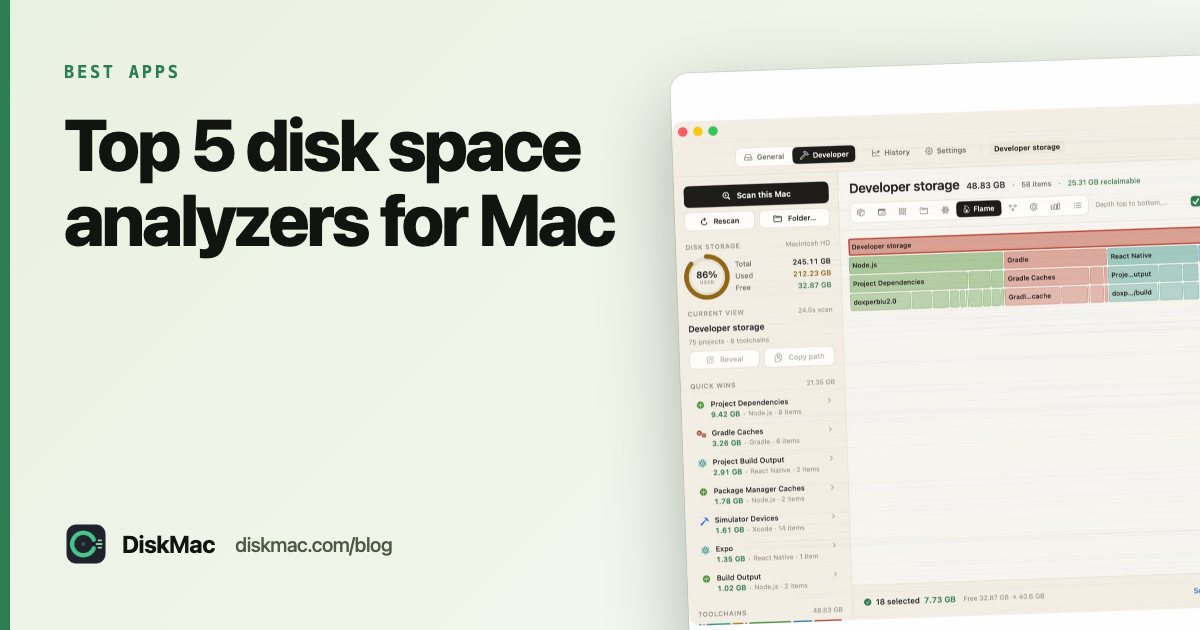
DiskMac draws one scan ten ways: treemap, sunburst, folders, bubbles, flame graph, mind map, ranked bars, table, Age Map and Strata. Strata is the unusual one — it puts age on one axis and size on the other, so a large folder nobody has touched in a year is impossible to miss.
It counts real allocated space (so a Docker disk image that claims 245 GB but uses 21 GB shows as 21), counts hard links once, and explains what each item is. Scanning is free; deleting from inside the app is $9 once.
2. DaisyDisk
The classic. A colourful, interactive sunburst you click to zoom into. Drag items to the collector at the bottom to delete them. $9.99 once. It looks great and is quick; it doesn’t tell you what a folder is for. DiskMac vs DaisyDisk compares the two in detail.
3. GrandPerspective
Free, open source, treemap only. Every file is a block. It is a little old-fashioned but genuinely useful and costs nothing.
4. OmniDiskSweeper
Free from The Omni Group. Finder-style columns sorted by size. No pictures, just numbers — which some people prefer. Deletes immediately, so double-check.
5. Disk Inventory X
A free treemap plus a file-type breakdown, popular for years. It has seen little development recently, so on newer macOS versions it can feel slow.
Side by side
| DiskMac | DaisyDisk | GrandPerspective | OmniDiskSweeper | |
|---|---|---|---|---|
| Price | Free / $9 once | $9.99 | Free | Free |
| Views | 10 | Sunburst | Treemap | List |
| Explains items | Yes | No | No | No |
| Age view | Yes | No | No | No |
| App uninstaller | Yes (Pro) | No | No | No |
| Command line | Yes, free | No | No | No |
Which to choose
Want free and simple? GrandPerspective. Want gorgeous and simple? DaisyDisk. Want to know what things are and which are safe to delete — especially if you write code — DiskMac. For more on developer folders, see Mac cleaners for developers.
Or use what is built in
macOS has no full disk visualiser, but System Settings › General › Storage gives a category breakdown, and Terminal’s du lists folder sizes. Our guide on what’s taking up space on your Mac walks through both.
FAQ
What is the best free disk space analyzer for Mac?
GrandPerspective is the best fully free one. DiskMac’s analyzer is also free forever — only deleting from inside the app is paid.
Why do different analyzers show different sizes?
Some add up each file’s logical size, others measure the blocks actually used on disk. Sparse files, APFS clones and hard links make those numbers differ — sometimes by hundreds of gigabytes.
Do disk analyzers need Full Disk Access?
To see protected folders such as Mail and Safari data, yes. Without it they still scan most of your home folder.