The Best Mac Cleaner for Developers (Xcode, Docker, Node)
On a developer’s Mac the biggest folders are rarely photos or movies. They are Xcode’s DerivedData, iOS simulators, Docker’s disk image, a node_modules in every project you ever cloned, and Gradle caches keyed to versions you stopped using years ago. It is common to find 50 GB or more.
Consumer cleaners mostly look at browser caches and logs. They see ~/Library/Developer as one opaque folder, or skip it entirely. Here are the tools that actually understand developer storage.
Where developer space goes
| Toolchain | Usual suspects | Typical size |
|---|---|---|
| Xcode | DerivedData, simulators, device support, archives | 10–80 GB |
| Docker | Images, build cache, volumes, Docker.raw | 10–60 GB |
| Node | node_modules, npm/pnpm/yarn caches | 5–40 GB |
| Android / Gradle | System images, SDKs, ~/.gradle/caches | 10–40 GB |
| Others | Homebrew, Cargo, Go, pip, CocoaPods | 2–20 GB |
1. DiskMac — built for this
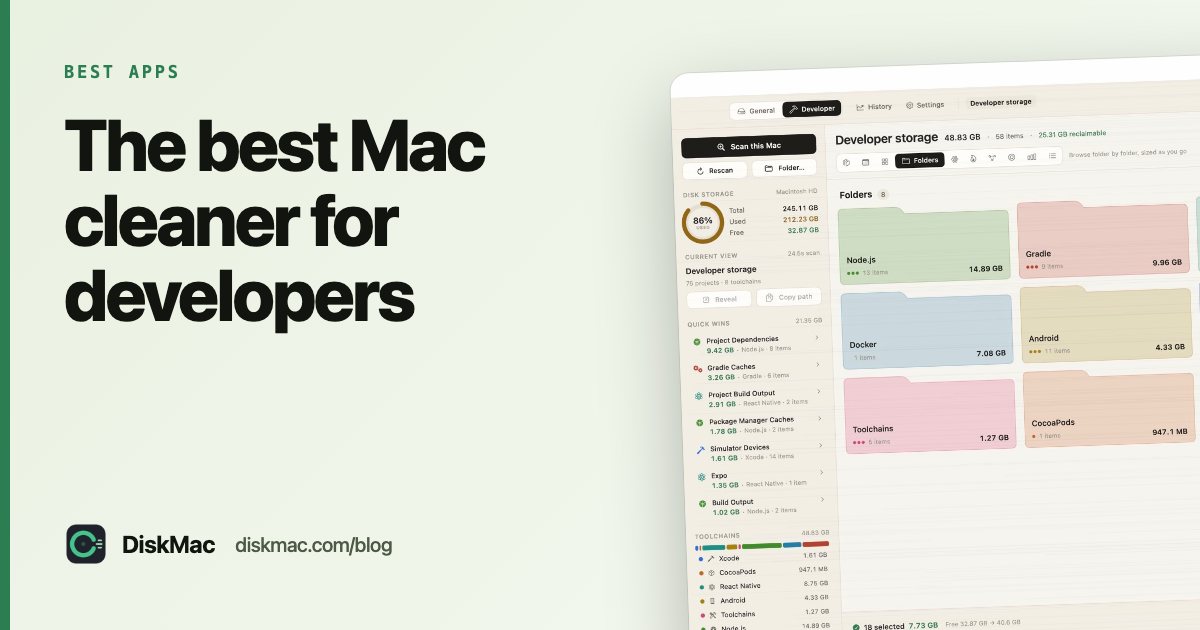
DiskMac’s Developer mode scans Xcode, Docker, Node, React Native, Android, Gradle, CocoaPods and Flutter, plus Homebrew, Rust, Go, Python, Maven and editor caches. For each item it says what it is, why removing it is safe, and how it comes back — usually on your next build.
- Shows which projects you last touched months ago, so stale
node_modulesrise to the top. - Reports Docker’s real disk usage, not the virtual disk’s apparent size.
- Counts pnpm’s hard-linked store once, so the saving it shows is the saving you get.
- Never touches source code,
.git,.envfiles, SSH keys or credentials. - Comes with a free CLI:
diskmac --only xcode,nodefor scripts and cron.
Scanning is free; cleanup is $9 once. More on the DiskMac Mac disk cleaner for developers.
2. DevCleaner for Xcode
A free App Store app focused only on Xcode: DerivedData, archives, device support and old simulators. Good if Xcode is your only problem. See our Xcode cleanup guide.
3. npkill
A free command-line tool. Run npx npkill in a folder and it lists every node_modules with its size, letting you delete with the space bar. Node only. Full walkthrough in how to delete node_modules.
4. Docker’s own commands
docker system df shows usage, docker system prune clears stopped containers, dangling images and build cache. Free, but it won’t shrink the disk image unless Docker Desktop compacts it. Read Docker taking up space on Mac.
5. Built-in tool commands
brew cleanup, xcrun simctl delete unavailable, npm cache clean --force, cargo cache and friends each clean their own corner. Effective, but scattered — see the developer cache cheat sheet. Android developers: Gradle and emulator images have their own guide.
What about CleanMyMac?
The CleanMyMac app cleans Xcode junk. In July 2026 MacPaw also released CleanMyMac CLI, a free developer preview installed with Homebrew that clears package-manager caches, Docker, Gradle, IDE caches and project build folders like node_modules from the terminal. It is worth a look if you live in the terminal. DiskMac’s difference is the visual side: it shows every item on a map, explains it, flags stale projects by when you last touched them, and reports Docker’s real disk usage — see DiskMac vs CleanMyMac.
FAQ
Is it safe to delete Xcode DerivedData?
Yes. Xcode rebuilds it on the next build; that build is just slower.
Will deleting node_modules break my project?
No. Run npm install (or pnpm/yarn) and it comes back exactly as your lockfile says.
How much space can a developer Mac reclaim?
It varies a lot, but on the machine DiskMac was built on it found 55 GB reclaimable out of 80 GB of developer storage.